Contributed by the community, in collaboration with
What is ORAS?
ORAS is the de facto tool for working with OCI Artifacts. It treats media types as a critical piece of the puzzle. Container images are never assumed to be the artifact in question. ORAS provides CLI and client libraries to distribute artifacts across OCI-compliant registries.
Features of ORAS
Artifact Reference
- Attach supply chain artifacts to container images.
- Discover and show the artifact reference relations.
- Extend the registries not just for storing container images.
Distributed Software Artifacts
- Manage artifacts in OCI registries.
- Migrate artifacts across registries.
- Manage artifacts in file system through OCI image layout.
Explore and Manage OCI Image
- Manage image manifest and layer in an OCI registry.
- Operate tag and repository in an OCI registry.
- Explore the detailed content of an OCI image.
How ORAS Works?
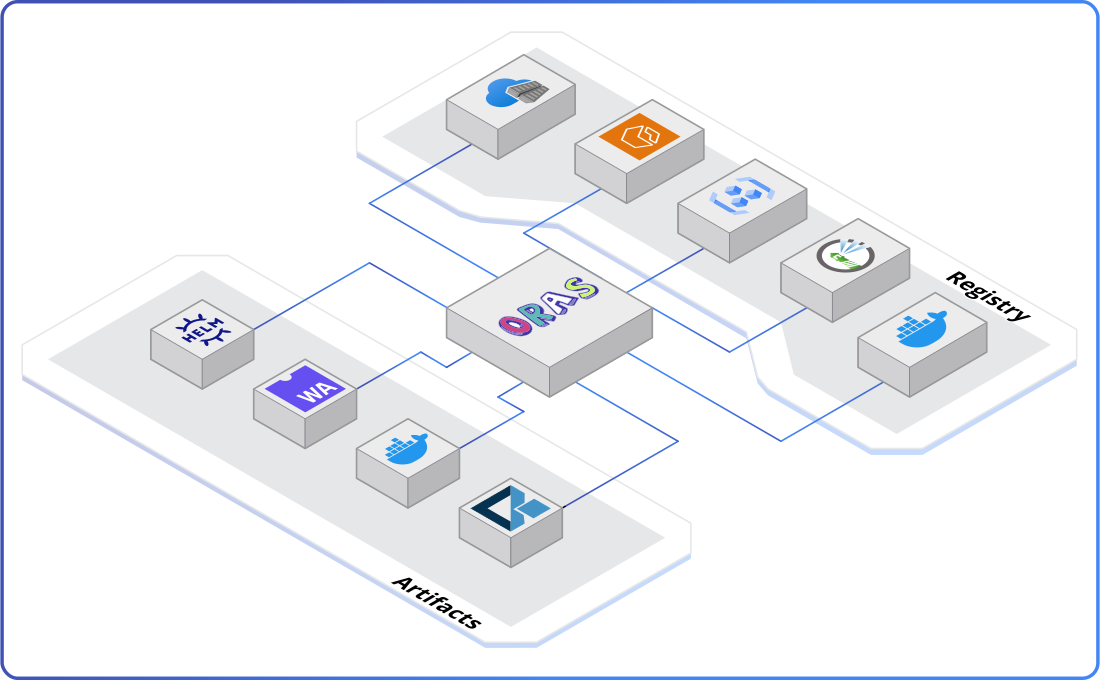
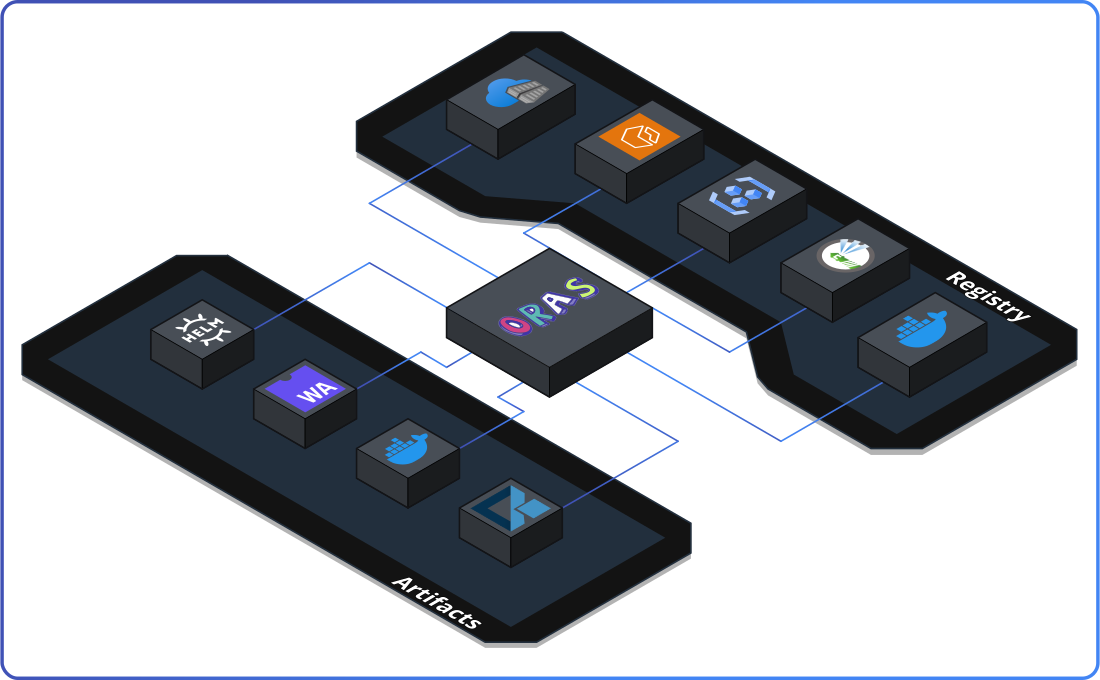
Able to distribute any artifacts across OCI-compliant registries or OCI Image Layout. See all compatible registries.
ORAS CLI
The simplest way to install ORAS with one line cmd is to use brew install oras. See all installation methods.
- Linux
- MacOS
- MacOS (Homebrew)
- Windows
VERSION="1.0.0"
curl -LO "https://github.com/oras-project/oras/releases/download/v${VERSION}/oras_${VERSION}_linux_amd64.tar.gz"
mkdir -p oras-install/
tar -zxf oras_${VERSION}_*.tar.gz -C oras-install/
sudo mv oras-install/oras /usr/local/bin/
rm -rf oras_${VERSION}_*.tar.gz oras-install/
VERSION="1.0.0"
curl -LO "https://github.com/oras-project/oras/releases/download/v${VERSION}/oras_${VERSION}_darwin_arm64.tar.gz"
mkdir -p oras-install/
tar -zxf oras_${VERSION}_*.tar.gz -C oras-install/
sudo mv oras-install/oras /usr/local/bin/
rm -rf oras_${VERSION}_*.tar.gz oras-install/
brew install oras
set VERSION="1.0.0"
curl.exe -sLO "https://github.com/oras-project/oras/releases/download/v%VERSION%/oras_%VERSION%_windows_amd64.zip"
tar.exe -xvzf oras_%VERSION%_windows_amd64.zip
mkdir -p %USERPROFILE%\bin\
copy oras.exe %USERPROFILE%\bin\
set PATH=%USERPROFILE%\bin\;%PATH%

